Issues with USB-C powered development boards

Below – Hall of Shame:

The symptom: dead boards

More than once in my development time, I’ve been an early receiver of a development board that powers via USB-C. Invariably, the board is so new that there is no documentation provided with the board and little to nothing already existing on the web about it – after all, helping create some of that documentation is probably why I have the board. There may be no source code, no schematics, and no doc. I’m even pretty liberal in accepting early development documentation in Chinese – Google Translate is pretty amazing on technical material and Google Lens can help crack the case of all-too-common case of Chinese text baked of  images. (This is bad for accessibility, such as screen readers or even visual assists that may beed to expand text and be able to do a reflow…but that’s a different rant.)

For first power-up, there’s not really an expectation of any code being flashed into whatever kind of flash memory is available.  With SMT LEDs bragging about being .8 or even .65mm, it’s far from given that I’ll recognize an LED on the board at all just by visual inspection and even at that scale, silk-screens don’t much work, so the parts aren’t likely labeled. Similarly, there are often not recognizable chips on the boards that set expectations of how it should act if successfully connected. Sure, if there’s an FTDI 232H or a CH340, we can know to look for a USB serial device enumerating on the host PCI bus. However, microcontrollers like the ESP32-C3 or BL706 integrate USB right on the chip and may or may not implement USB CDC protocol, While that’s awesome for development (hooray, it’s a disk drive and I can just copy firmware to it!) it means you can’t depend on the visual cue of a Finder window popping open when the board is recognized.

This is a lot of words to provide background to the lede I’ve already buried in the title. The short version is that it’s not totally unexpected to connect a board and have exactly no visual confirmation the board is running and no recognizable signs of life from the computer.

In addition to all the above possible causes (no LEDs, no code flashed, required external boot knocking sequence required, no boot device present, device permanently in reset because it’s a jumper not a button (yes, really) there’s another that’s far more frustrating: the board developer did not read and understand the USB-C specification.

The cause: a poor understanding of USB-C

USB-C is more than USB 3.1 in a flippy connector, though that is undeniably nifty. It fundamentally changes how power is transferred over the wire because it allows bidirectional charging as well as bidirectional signaling (formerly “USB On The Go”) but because there’s way power potentially involved, particularly because it’s the first time more than 5v may be present on the power rails.  Failure to handle USB-C’s power requirements correctly can result in 24VDC being sent to your 25 year old floppy drive that was built into a 5V-only world and that’s bad.

For older USB, you could always count on at least 100mA of 5V on the power rails. As a practical matter, you could count on 500mA from most devices even without explicitly enumerating on the bus or even 900mA starting with USB 3.0. For lots of tiny development boards, that’s all plentiful.

On USB-C, there are two new pins on the bus named CC1 and CC2. If you have a device that may either provide or receive power (your laptop or your phone can charge your earbuds, but they can be charged over the same plug) then you need a Real USB controller chip  like an STM32 or a MAX77958 on the bus and you need a real EE that can read and understand the relevant specs in order to implement your Dual Role Port as that’s a more complicated case than a Sink Port (a load) or a Source Port.

A compliant USB-C Power Delivery Source Port (e.g. a high-quality USB-C charger or a laptop with actual USB-C jacks)  will monitor the CC1 and CC2 pins for voltages, nominally provided by a pair of resistors forming a voltage divider. The presence of a pair of 5.1k resistors (at a cost of a fraction of a penny in quantity to tie each of CC1 and CC2 to ground ) tells the power supply to deliver 5V at 3A.

If your device has a USB-C jack and does NOT provide those two resistors, the USB Power Source is under no obligation to provide power to your device. Your device will be unpowered and, most likely, will not work.

The full USB-C and related specs run into thousands of pages and this is probably just caused by misunderstanding that USB-C is just like its predecessors. Fortunately, there are good descriptions like this primer from ST on implementing USB-C power

“But it works on my PC”

If you have a USB-A to USB-C cable, it is known there can be no bidirectional charging so the resistors are present in the cable.

“Can I save an eighth of a cent and use one 5.1K resistor instead of two?”

No. Raspberry Pi foundation learned this very publicly and frustrated thousands of customers in the Raspberry Pi 4 defective USB implementation.

“But it almost works if I do it…”

It works except when it dosn’t. It may fail on e-marked cables (very common amongst uses of high-quality, high-power gear) but actual experts can explain why you need two individual 5.1k resistors on USB-C devices. Googler Benson Leung made a substantial name for himself in the early days of USB-C popularity by buying a large variety of USB-C cables and devices, finding that spec compliance was farcical, and working with Amazon to improve quality of devices in the marketplace.

“But that’s an old problem. Nobody would build a board without those resistors today.”

Pi 4 was just a high-profile early victim. Boards with this problem are still rolling out.  

Allwinner Nezha

Sipeed engineering confirmed that the Allwinner Nezha RISC-V development board does not pulldown CC1 and CC2.  That port is theoretically bidirectional and should thus use an actual USB PD controller chip because it will not boot from a USB-C power source.

Bouffalo Labs BL706 AVB
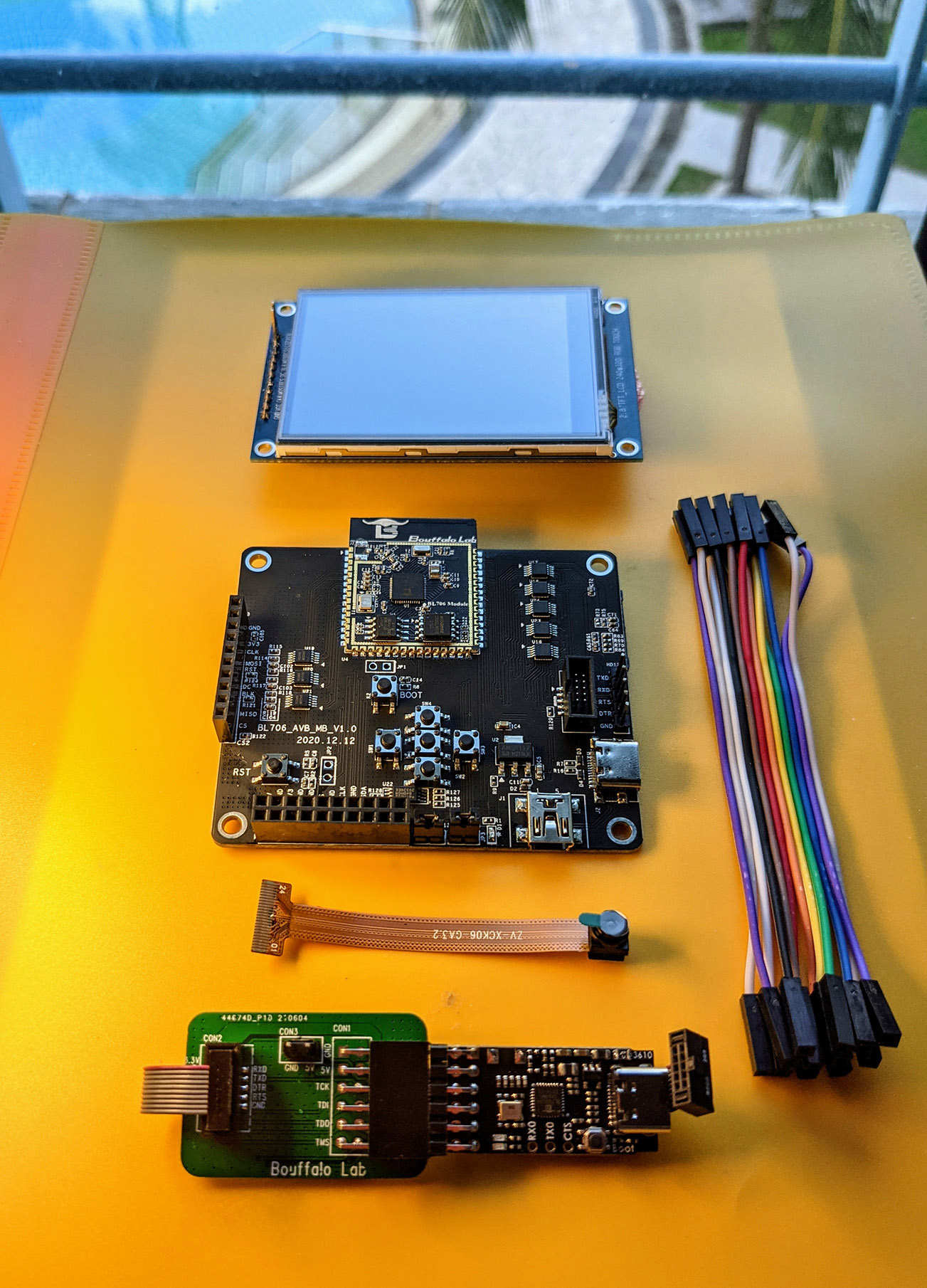
Dev Kit for Bouffalo Lab BL706 Audio Video Board
The Bouffalo Labs BL706 Audio Video Board does not provide those resistors, presumably for similar reasons. The board will not boot from USB-C.

WCH CH32V307 EVT 
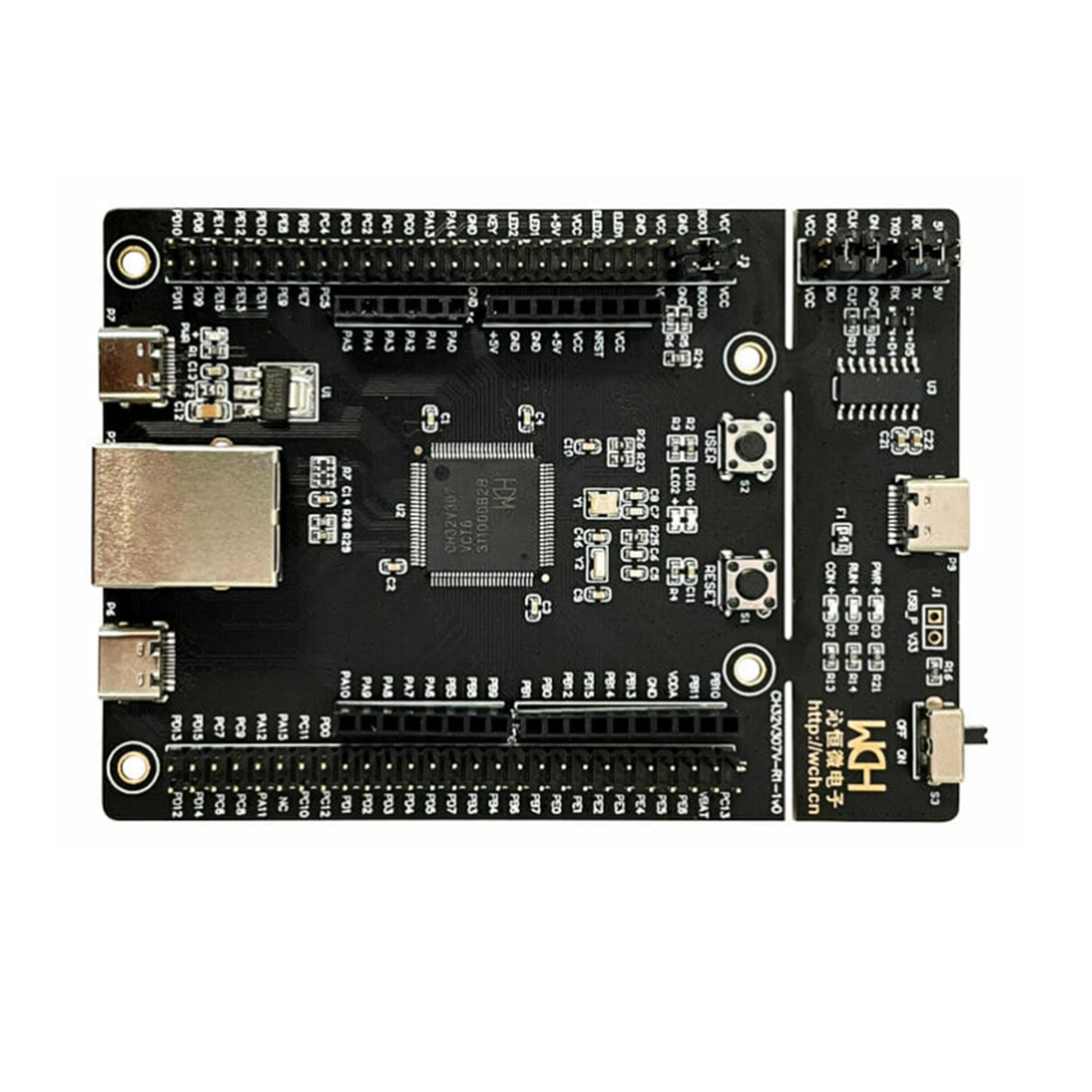
CH32V307V-EVT-R1 RISC-V development board
The WCH CH32V307 EVT board provides empty soldering pads on the back of the board at R9 and R10 for you to add your own to the debug port . Without them, the CH32V307EVT will not boot from a USB-C power source. That design choice is a bit strange because while similar pads are provided for the full speed and high speed jacks (which could be hosts or device) the WCH-Link port looks like it can be only a device 

I have a board like that! I’m not an EE What can I do?

As ridiculous as this sounds, the lowest cost, easiest way to work around this is to use a USB-C to USB-A adapter (a hub will work, too, but will be more expensive if you’re shopping) and then a USB-A to USB-C cable. The result is to have a cable with USB-C on both ends, but a mail and female USB-A in the middle. That will add the ressistors in question and all three of the boards above will successfully boot from a USB-C Power Delivery power supply OR directly from the port on a MacBook Pro.

Share your war tales

Do you have a board like this? Share below to help get the word out that it’s not 2014 and partially implementing USB-C is Not OK.
Because of the difficulty downloading disk images from geographic distance or sites that may not translate well, this is a collection of important boot images for members of the D1 RISC-V processor. We have collected images and information from Fedora RISC-V Project and Debian RISC-V project  as well as some information by Sunxi.  The information is mostly targeting the Nezha class of boards, but may be useful for other boards based on the Allwinner D1or D1s/F133 chips, particularly those built by Sipeed.

There is a security measure enforced by our hosting service that everything has to be served as a zip file. Thus images that are already a compressed image (.zst, .gz, .img, etc.) are zipped again. Sorry.

Fedora

  • XFCE with Rawhide, 2022-01-04
  • XFCE with Rawhide, 2021-11-30
  • XFCE with ESP, 2021-09-12
  • Custom 1GB bootloader for 1GB hardware.

Debian

  • Debian riscv64/D1 0.6.1 image, RVBoards
  • Debian riscv64/D1 0.4.1 LXDE RVBoards
  • Debian riscv64/D1 0.4 LXDE image, RVBoards
  • Debian riscv64/D1 v0.3 MIPI card
  • Debian riscv64/D1 v0.3 HDMI card
  • Debian riscv64/D1 v0.2 LXDE image, RVBoards
  • Debian riscv64/D1 v0.2 console


I’ve been away from writing for a bit for personal reasons and I’ve missed talking much about many events in the RISC-V world this year. Here’s a jumble of thoughts from October of 2021.

Low Points: BeagleV Starlight canceled, Nezha/D1 launch issues

I was lucky to have tinkered with the prerelease BeagleV board (codenamed Starlight) that featured the StarFive
JH-7100 SoC. It was well documented, had an amazing technical group of active participants from both corporate and hobbyist backgrounds, all working together on merit, and good tooling. Antmicro’s ‘Renode‘ emulator made developing on these parts a breeze.

Unfortunately for the business, BeagleV/Starlight and StarFive were unable to reach a production agreement and BeagleV Starlight project was cancelled. I did some software and hardware work that went into the proverbial chipper, but I managed to learn and refine some skills along the way. I remain hopeful that the low-volume (Two core) JH-7100 and later (Quad core, embedded GPU, PCIe) JH-7110 will be delivered at a similar price point by the likes of Antmicro or Radxa, which has already missed their ship date. It’s all resulted in some thrash, but it’s possible that all the players (Beagle, Antmicro, Radxa, Starfive) dust off and ship RISC-V boards.

I have possession of a Nezha developer board. This is the official development board made by Allwinner as a vehicle for their D1 chip. By contrast to StarFive, documentation on this device and board is poor.  The maker of the chip and the board, Allwinner,
having a pretty poor record playing nicely with open source developers with license violations being common. When it was at a price point similar to BeagleV, it seemed an underdog as a single core device, but it did have the claim to fame of being the first shipping device of supporting the RISC-V Vector extension. I’ve been a member of a few different discord/slack/telegram groups for this device and they’ve all been dominated by people stuck at the starting line: just finding a maintained distro that doesn’t require a login in Chinese and a phone number in China is a common challenge.

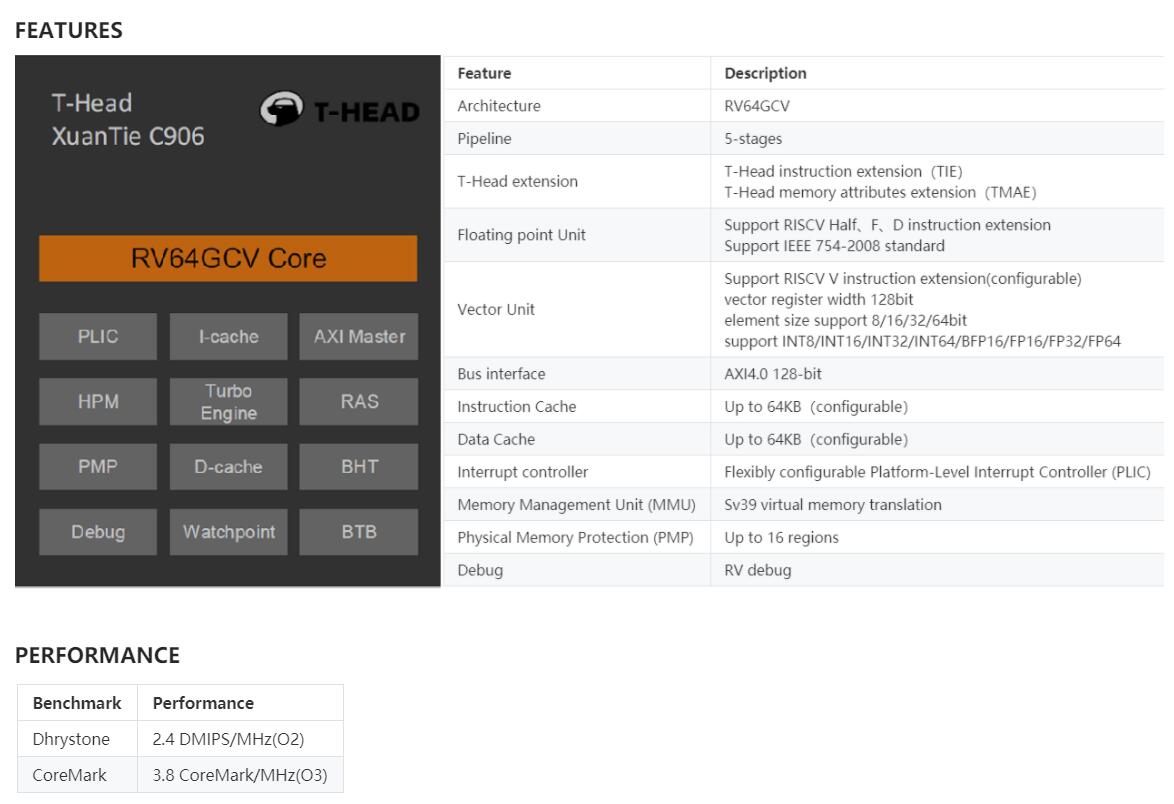
Unfortunately for many developers, D1 supported only 0.7.1 of Vector, which has source and binary incompatibilities with the final 1.0 version of that extension which is currently (October 2021) in final stages of public review. This part also really requires Allwinner’s own use of GCC/Binutils to use these extensions well. Interestingly, the RISC-V part of this SoC comes from Alibaba’s XuanTie C906 line, which was itself recently open-sourced, though there have been serious issues trying to land Alibaba’s incompatible work in upstream projects like GCC and QEMU.

I’d love to be able to comment more on the actual development board, but can’t as it appears my board is apparently totally DOA. I hope to be able to write more about it soon.

This board gets the (somewhat deserved) criticism of being overpriced when compared to high-volume devices like Pi and the (awkward) criticism of  having a single 1.0Ghz core and relying on an old version of the Vector specification. As the final version still doesn’t exist and fab times just plain take a while to get from Verilog  to real silicon, we can be only so mad at the first chip to support even a pre-release V spec. We can be more upset that the chip requires violating the RISC-V specification on reserved bits in the paging machinery. All this does lead to an up-looking highlight to finish up this catch-up.

On the Horizon: Allwinner D1s/F133

This week, there’s been interest in a new revision of the D1. The Allwinner D1s (sometimes called the “F133” for reasons I haven’t yet grasped) is a cost-optimized version of the original D1. Where the D1 really seemed to ship only with their own development board, Nezha, the D1s seems to come out of the gate ready for the likes of SeedStudio and Mango Pi’s ~$10USD RISC-V board  or in low quantity to put on your own open-source boards, like Xassette

It’s a slightly confusing product, but some of that may just be translation/documentation issues.  It’s cost-reduced, and that filters through to the boards we’ve seen so far. There’s 64MB of RAM on board, but it’s sold as “Linux ready”.  The removal of HDMI signaling means no monitor and 64MB will require a very stripped down system. Cramming Linux into the 8MB on a K210 was (barely) possible, so this must be possible, even if cramped.  Still, for a single-purpose or educational environment, that’s probably OK. The Allwinner F133 overview avoids any comparison to D1, refers to itself as “video decoding platform”, and even avoids use of the phrase “RISC-V” completely.

It’s interesting that one of the most controversial RISC-V chips of 2021 managed to ship a second revision this year while we have so many that have just seemingly collapsed under their own weight or never found their legs beyond original announcements. (Blink twice if you’re alive, PicoRio!) 

As we approach the end of the year, we’ve had quite some changes in the RISC-V ecosystem. It’s likely that the product families that have most met or exceeded my expectations are the BL602/706 family and Espressif’s menagerie of ESP32-C3 and ESP32-C6.

What have been your biggest disappointments or surprises in RISC-Ville? 


We’re all familiar with the fable of the boiling frogs, unable to sense the change they’re (literally!) immersed in. Enthusiasts of RISC-V architecture may be encountering the same right now: late 2020 gave us a steady stream of new hardware announcements, but we may not have a great sense of us since the hardware isn’t always possible to order yet. Let’s review some of the upcoming products in this market, duly nothing that products can change or get canceled before they even ship.

We had two major new families of entries in the iOT category. Both use the RISC-V to drive WiFi and Bluetooth radio stacks. Bouffalo Lab’s BL602 is available in quantity now. Starting around $2.50 for a module with multiple development boards in the $5-$10 range (including Pine64’s Nutcracker for PineCone and the DoIt DT-BL10), this chip starts with a core from SiFive and has 802.11 b/g/n and Bluetooth 5. The upcoming BL-702 family adds Zigbee radios. There is enough compute resources (CPU, RAM, Timers, etc.) that you can build your own software right onto the radio chip via their multitasking OS and open development kits. You may recognize this as the basic model popularized by Espressif in their ESP8266 in recent years.

Espressif also embraced RISC-V with their upcoming ESP32-C3 family. It’s interesting that this chip doesn’t even get a distinct name at this point as Espressif apparently sees the CPU core as only a small part of the product. Still, by volume, the ESP32-C3 is likely to become an extremely popular choice.

Moving up a step computationally, we enter more traditional chips and single-board computers. Alibaba’s Xuantie 910 is widening into a family of chips. The C906 is being marketed for more entry level class, but still featuring a load of I/O, multiple cores, support for the still-not-ratified Vector extensions, and more. Press releases tend to mix up the 910 and the 906, but they both seem pretty hot.  In late January, anAndroid Open Source Port of C910 was demonstrated. Embedded specialists Sipeed have announced a C906 development board that’ll run Debian and that starts at $12.50. If Sipeed does for that what they’ve done for GD32V and K210, we should see lots of interesting SBC projects from them.

Sipeed teases C906 RISC-V board

Rios is bringing us a claimed competitor to the Raspberry Pi called the PicoRio. It’s coming inthree stages:

  • PicoRio 1.0 is a headless, four-core RV64GC that’s capable of running Linux at 500Mhz. It’s been used from 2020H2 to an expectation of beta in 2021H1.
  • PicoRio 2.0 adds Imagination’s PowerVR GE7800 XE series GPU, which may finally bring a GPU-capable RISC-V development board into casual hobbyist price points.
  • PicoRio 3.0 strives to bring the performance to be comparable to a tablet or desktop computer.

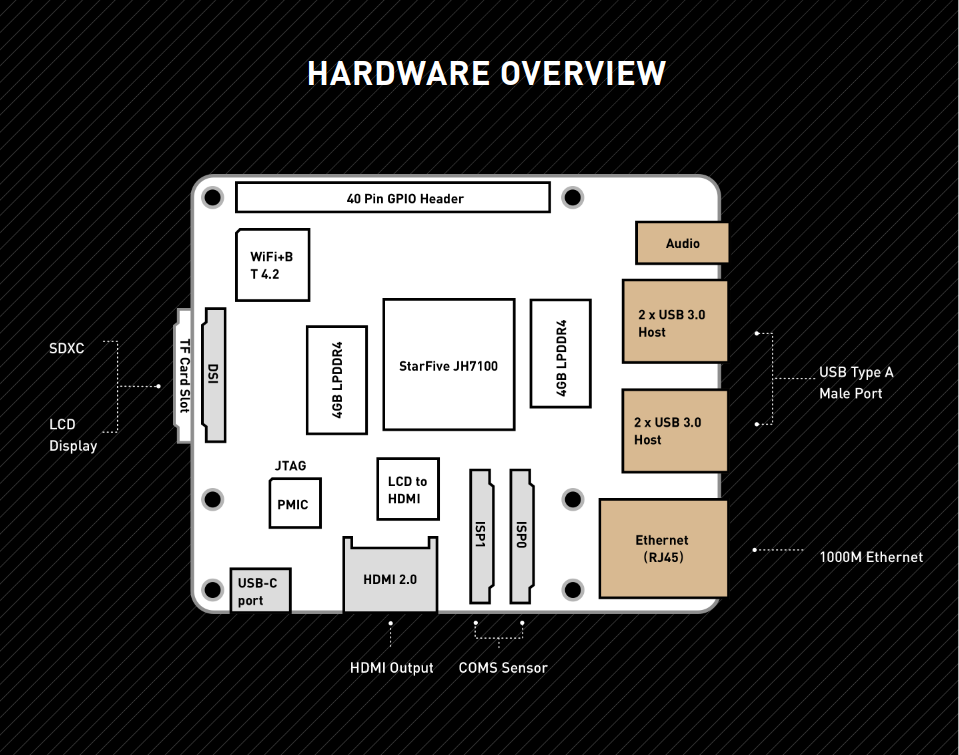
Another entry in the Pi-class of hardware, though not at Pi Price, is the Beagle V from the group that brought us the famed Beagle Bone. It uses two of SiFive’s U74 cores at 1Ghz includes 8GiB of LPDDR4 RAM, gigabit Ethernet, an 802.11n Wi-Fi + Bluetooth 4.2 chipset, and a dedicated hardware video transcoder supporting H.264 and H.265 at 4K and 60fps.The system also offers four USB 3.0 ports, a full-size HDMI out, 3.5mm conventional audio jack, and a 40-pin GPIO header. As a snack for those interested in AI applications, it also features  a Tensilica Vision VP6 DSP for machine-vision applications, a Neural Network Engine, and a single-core NVDLA (Nvidia Deep Learning Accelerator).

Core provider SiFive is bolting Freedom U740 cores to a min-ITX design in HiFive Unmatched. X16 PCIe expansion, 16GB of DDR4 RAM, NVME M.2 slot, Gigabit ethernet, and four cores at 1.4Ghz should make this a entry-level desktop-class system, including host-CPU class of building for native applications at full scale. For professional developers, the $665 entry ticket should be more appealing that the $999 for the board’s predecessor, Unleashed.

The PicoRio V1 and Unmatched have already slipped from Q4 into 2021.

Still, while we’re not bathing in fresh alternatives to the GD32V and K210, we have several alternatives on the proverbial launching pad and several options to bring excitement into lives and toolboxes of RISC-V aficionados.

What do you see coming up? What are you most anxious to work with?